

Selecting a home internet plan has become one of the more consequential household decisions a person makes. The connection that comes through that modem affects remote work productivity, video streaming quality, gaming performance, smart home reliability and every video call that keeps families connected across distances. Yet many households end up on plans that do not match how they actually use the internet, either paying for speed they never use or fighting for bandwidth with a connection that cannot keep up. Cox offers a range of residential internet plans designed to match different household sizes and usage patterns, from light browsing to high-demand multi-device environments.
Understanding Internet Speed Tiers
Download speed is measured in megabits per second (Mbps) or gigabits per second (Gbps) and it determines how quickly data travels from the internet to a device. Upload speed governs the reverse, sending video during calls, uploading large files or live streaming. A household with one or two people who primarily browse, stream standard definition video and check email will function well on a plan in the 100–200 Mbps range. Larger households with multiple simultaneous users, 4K streaming, video conferencing and online gaming benefit significantly from plans offering 500 Mbps or above. Plans at the gigabit level provide headroom for future-proofing and the growing number of connected devices, smart TVs, security cameras, voice assistants, thermostats, that each draw from the shared connection. Reviewing which speed tiers are available for a given address is the logical starting point before comparing any other plan features. Cox structures its plans with clearly defined speed ranges, making the selection process straightforward for most households.
What Happens When Bandwidth Is Too Low
Insufficient bandwidth reveals itself in specific, frustrating ways. Video calls freeze or pixelate when multiple people in the household are connected simultaneously. Streaming services automatically drop resolution from 4K to HD or lower during peak evening hours. Online games experience lag spikes that make them unplayable despite a nominally functional connection. Large file downloads that should take seconds stretch into minutes. These are not random internet problems, they are symptoms of a plan that has reached its capacity. Many households discover their actual usage only after switching to a faster tier and noticing how consistently content loads at full quality without any noticeable degradation. The correction is usually straightforward upgrading the plan rather than troubleshooting the router or calling for service repairs.
Key Features to Compare Between Plans
- Download and upload speeds, check both figures; upload matters for remote workers, content creators and households with frequent video calls.
- Data caps, some plans include monthly data limits that, once exceeded, trigger either overage charges or speed throttling.
- Contract terms, promotional rates often apply to a fixed term; understanding what the rate becomes after the introductory period avoids billing surprises.
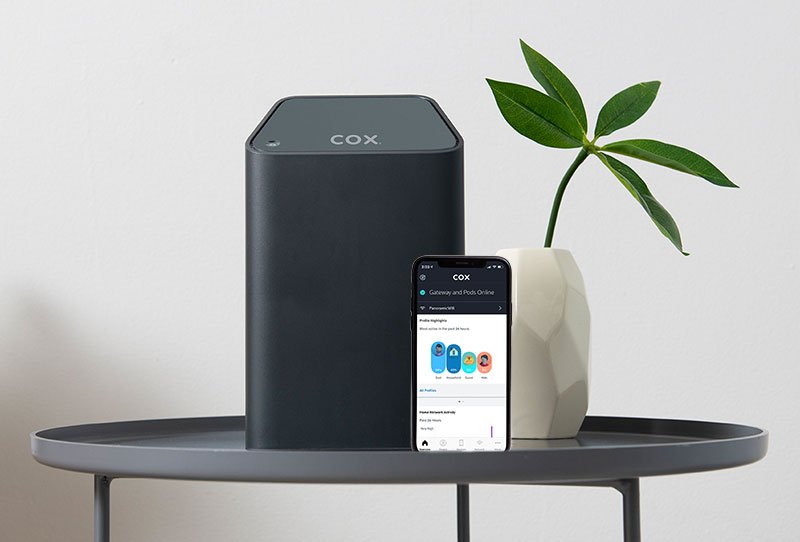
- Equipment included, some providers include a modem and router in the plan fee; others charge a separate rental and some allow customers to use their own hardware to reduce costs.
- Reliability, advertised speeds and real-world consistency can differ; checking outage history and customer satisfaction data for a specific provider in a given area provides useful context.
- Bundling options, combining internet with TV or home phone services through a single provider often reduces the total monthly cost compared to separate subscriptions.
How Connection Type Affects Performance
The physical infrastructure delivering the internet signal plays a significant role in both speed potential and reliability. Cable internet, which runs over coaxial lines originally installed for television, is widely available and supports high download speeds. Fiber-optic connections carry data as light through glass cables, offering symmetrical upload and download speeds and extremely low latency, the preferred option for heavy users when available. Fixed wireless internet uses radio signals to deliver connectivity to homes without cable or fiber infrastructure and has improved substantially in coverage and speed. DSL, which runs over telephone lines, is the most widespread technology but typically offers lower speeds than cable or fiber. Understanding which type of infrastructure serves a specific address helps set realistic expectations about both maximum speeds and typical reliability. Providers like Cox deploy cable and fiber infrastructure across their service areas, giving residential customers access to consistently fast connections.

Setting Up a Home Network for Multiple Devices
Having the right plan is only part of the equation, the home network setup determines whether that bandwidth actually reaches every device in the house effectively. A router placed in a closet or basement will deliver significantly weaker signal to rooms on opposite ends of the building compared to one positioned centrally. Wi-Fi 6 routers handle more simultaneous device connections than older standards, which matters in homes where dozens of devices share the network. Mesh Wi-Fi systems extend coverage by using multiple nodes placed throughout the space, eliminating dead zones without the complexity of running ethernet cable through walls. For devices where latency matters most, gaming consoles, desktop computers used for work, a wired ethernet connection to the router bypasses all wireless variables entirely. Taking the time to evaluate router placement and network hardware alongside the internet plan itself makes the entire system perform at the level the plan allows.
When to Consider Upgrading or Switching Plans
A plan that worked well two or three years ago may no longer meet a household’s needs. The number of connected devices grows steadily, streaming quality standards have risen and remote work has transformed how many people rely on residential internet during business hours. Signs that a plan is underperforming include consistent buffering during evenings, frequent dropped video calls and slow downloads even during off-peak hours. Before calling for a service visit or investing in new networking equipment, checking the plan’s rated speed against actual measured speeds, using a reliable speed test, reveals whether the issue is the plan, the equipment or the service itself. Upgrading to a higher tier through Cox is often faster and simpler than most customers expect, with service transfers that do not require additional installation visits in many cases.
Matching the internet plan to actual usage habits, household size and device count removes a constant source of daily friction that many people accept unnecessarily. Reviewing available options and checking current promotions at Cox is the straightforward first step toward a home connection that consistently performs at the level modern households require.